Practice environments & study strategy
How the Clinical Workstations — including Clinical Labs — fit into an adaptive study loop, and how to sequence Lessons, Flashcards, Labs, and Practice Exams.
Clinical Labs are interactive lab-interpretation environments where you read, trend, and act on real-world lab panels across nine body systems — hematology, chemistry, renal, hepatic, cardiac, endocrine, coagulation, arterial blood gases, and infection/immune markers. Instead of memorizing reference ranges, you interpret values in patient context and decide what they mean for care. You can explore them anytime at /app/labs, and they are part of the wider Clinical Workstations family at /clinical-labs.
Practice Questions test recall and single-item judgment; Clinical Labs put you inside the interpretation itself, asking you to trend results, connect abnormal values to a clinical picture, and choose the next action. Questions score a discrete answer, while Labs build the reasoning habit of asking 'what is this value telling me, and what do I do about it?' Use both together — Practice Questions to test recall, Labs to rehearse applied interpretation.
Clinical Workstations are the family of realistic clinical practice environments on NurseNest — Clinical Labs, ECG, Clinical Skills, Med Math, Clinical Scenarios, the Simulation Center, Prioritization, and Documentation. Each one drops you into a focused clinical task and lets you practice the reasoning a nurse actually performs, with immediate feedback and rationale. You move through them at your own pace; there is no proctor and no pass/fail gate. See the full lineup at /clinical-workstations.
No. Clinical Labs, like every Clinical Workstation, are practice environments rather than timed exams. There is no countdown clock and no penalty for taking your time to reason through a panel. Timing and exam pressure live in the Practice Exams and CAT experiences, not in the Workstations.
The Labs themselves are not an adaptive item-selection engine — you choose which system and scenario to practice. They are, however, part of NurseNest's broader adaptive ecosystem: your performance in Labs feeds readiness signals, Smart Review, and pathway recommendations so the rest of your study loop adapts around what you practice. Think of Workstations as deliberate skill rehearsal and the adaptive engine as the layer that decides what to surface next.
Workstations and the Simulation Center are built to mirror real clinical workflows — authentic lab panels, rhythm strips, medication calculations, prioritization decisions, and documentation tasks framed the way you meet them at the bedside. They are designed for NGN-style application: interpreting data, weighing cues, and acting, rather than recognizing a memorized fact. They are practice tools, not a substitute for supervised clinical hours, but they rehearse the same reasoning you use on the unit.
That is exactly what they are built for. By making you interpret values in context, trend them over time, and choose an action, Clinical Labs train the cue-recognition and prioritization skills the Next Generation NCLEX measures. Paired with Clinical Scenarios and Prioritization Workstations, they move you from 'I know the number' to 'I know what to do about it.'
NCLEX-style questions ask you to select the best answer to a discrete item; Workstations ask you to perform the underlying clinical task — read the ECG, calculate the dose, interpret the panel, prioritize the patients, document the encounter. Workstations build the applied reasoning that makes NCLEX and NGN questions easier, but they are not scored as an exam. Use Practice Exams to measure test readiness and Workstations to build the skills those exams test.
A reliable loop is: learn the concept in a Lesson, lock in recall with Flashcards, apply it in a Clinical Lab or Workstation, then measure readiness with a Practice Exam. Let the results steer the next cycle — weak areas flagged by Practice Exams and Smart Review tell you which Lessons and Workstations to revisit. The four surfaces are designed to reinforce one another, not to be used in isolation.
If you are early in your studies, start with Lessons to build a foundation, then use Flashcards for daily recall and low-pressure Clinical Labs to practice applying what you learn. Hold off on full-length timed Practice Exams until you have covered the core systems — use short, untimed Workstation practice first to build confidence. Following a learning pathway keeps the sequence sensible so you are not guessing what to do next.
Repeat writers usually know the content but struggle with application under exam conditions, so lead with diagnosis: take a Practice Exam or CAT to expose weak areas, then drill those specific systems in Clinical Labs, Prioritization, and Clinical Scenarios. Lean on Smart Review to keep resurfacing the items you miss and shorten Lesson review to just the gaps. The goal is targeted reasoning practice, not re-reading everything from scratch.
Pick a realistic weekly rhythm — for example, Lessons and Flashcards on most days, one or two Workstation or Clinical Lab sessions midweek, and a Practice Exam at the end of each week to measure progress. Then let your readiness dashboard and Smart Review reshape the plan as your weak areas change. Consistency beats marathon sessions; short, frequent, mixed practice is what moves readiness.
Yes — many learners use NurseNest alongside coursework, not just for final exam prep. Lessons reinforce what you cover in class, Flashcards support course quizzes, and Clinical Labs and Workstations let you rehearse skills before clinical rotations and simulation days. Building the habit early means the platform is already tuned to your strengths and gaps when NCLEX or your licensure exam approaches.
Smart Review is NurseNest's spaced-repetition and weakness-resurfacing layer: it tracks what you miss and brings it back at the right interval so it actually sticks, instead of leaving you to remember what to restudy. It draws on your activity across Lessons, Flashcards, Workstations, and Practice Exams to prioritize the items most likely to trip you up. In short, it turns your mistakes into a personalized, self-updating review queue.
Learning pathways are guided, ordered sequences of Lessons, practice, and Workstations mapped to your exam and specialty, so you always know the next sensible step. They keep your study coherent — foundation before application, high-yield before edge cases — rather than leaving you to assemble a plan from hundreds of topics. Your progress and readiness signals adjust the pathway as you go.
Every Lesson, Flashcard, Workstation, and Practice Exam contributes to a unified readiness view that shows mastery by topic and system, trends over time, and where your weak areas sit. That single picture feeds Smart Review and pathway recommendations so your plan reflects real performance rather than guesswork. You can see how ready you are for your exam at a glance and drill into any weak area.
A CAT (Computerized Adaptive Test) mirrors how the NCLEX actually works: the difficulty of each question adjusts to your ability, honing in on your true readiness level with fewer items. NurseNest's CAT-style Practice Exams give you a realistic dress rehearsal for exam day, including the adaptive pressure the real test applies.
Adaptive learning means the platform continuously adjusts what it shows you based on how you perform — surfacing weaker topics more often, spacing out mastered material, and steering your pathway toward the areas that most improve readiness. Your work across every surface, including Clinical Workstations, feeds that engine so recommendations get sharper the more you practice. You focus on studying; the system handles what to study next.
Yes. Nursing programs, faculty, and hospital educators use NurseNest to supplement coursework, assign practice, and give learners realistic Clinical Workstation and Lab environments to rehearse in before clinical days. For cohort licensing, group access, or institutional reporting, see /pricing or reach out through the contact options there. The same adaptive ecosystem your individual learners use scales to a program.
Product questions
Use these answers to understand the study activities in NurseNest. Exact availability depends on the country, role, exam pathway and plan you select.
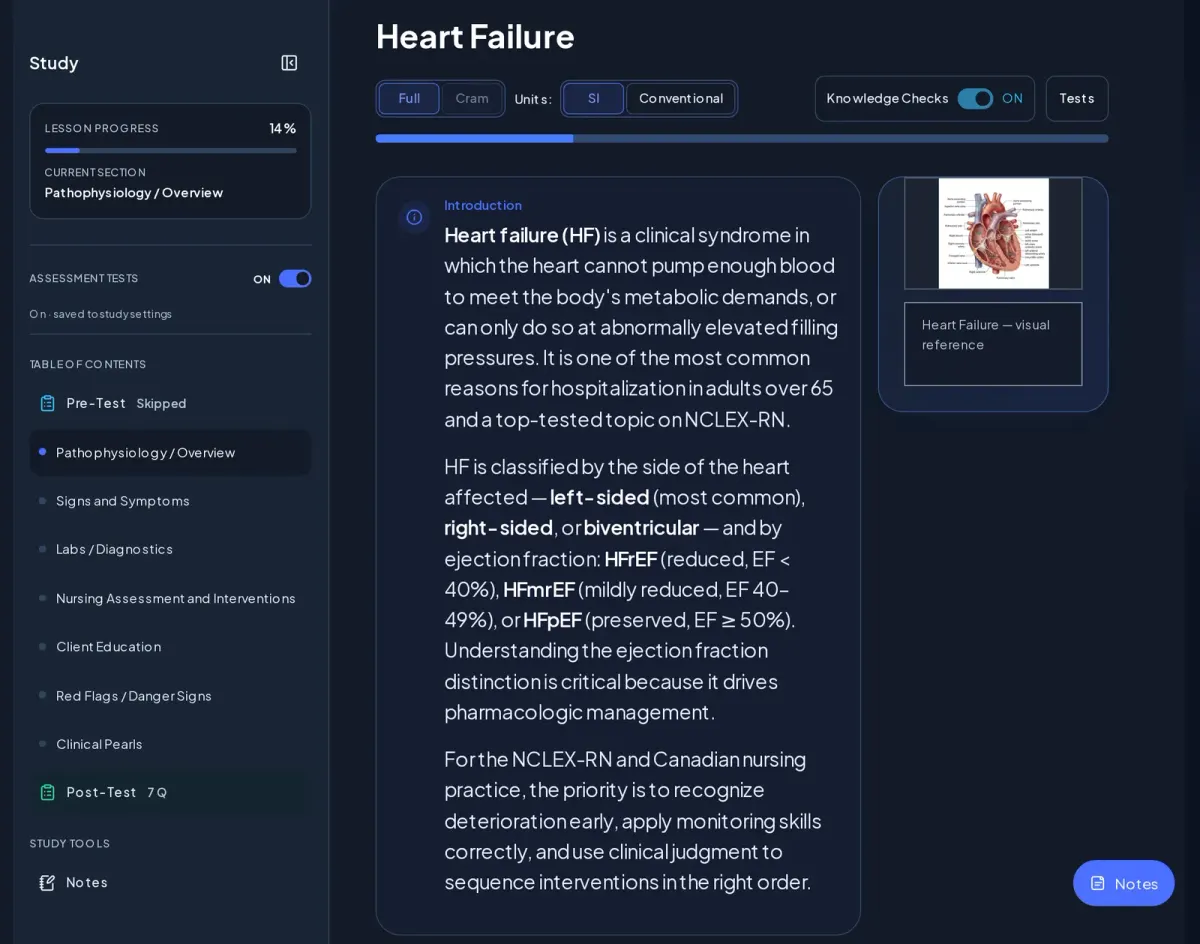
A table of contents, a pre-test, sections from pathophysiology through client education and red flags, knowledge checks, clinical pearls, a post-test, a visual reference and a Notes tool. Units switch between SI and Conventional.
See it on the Features page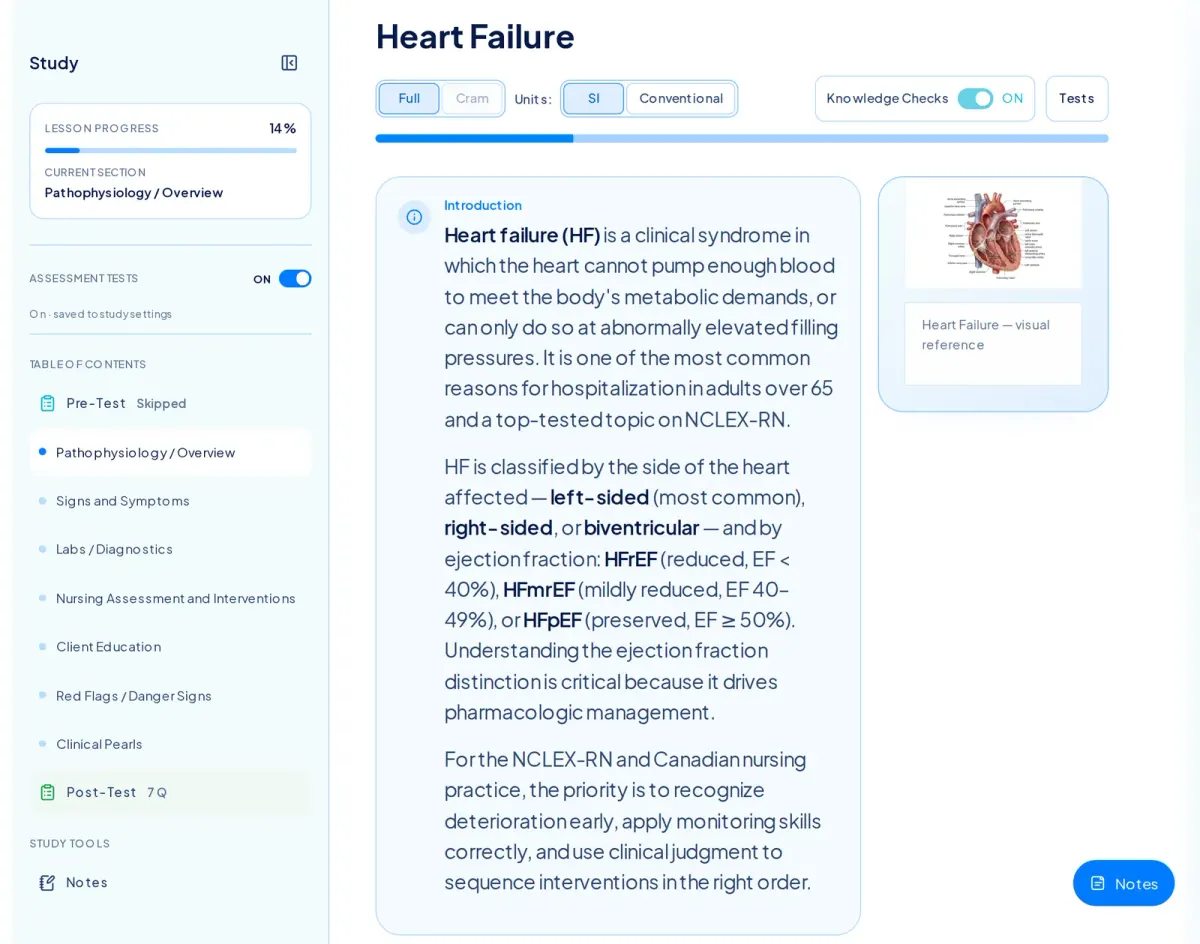
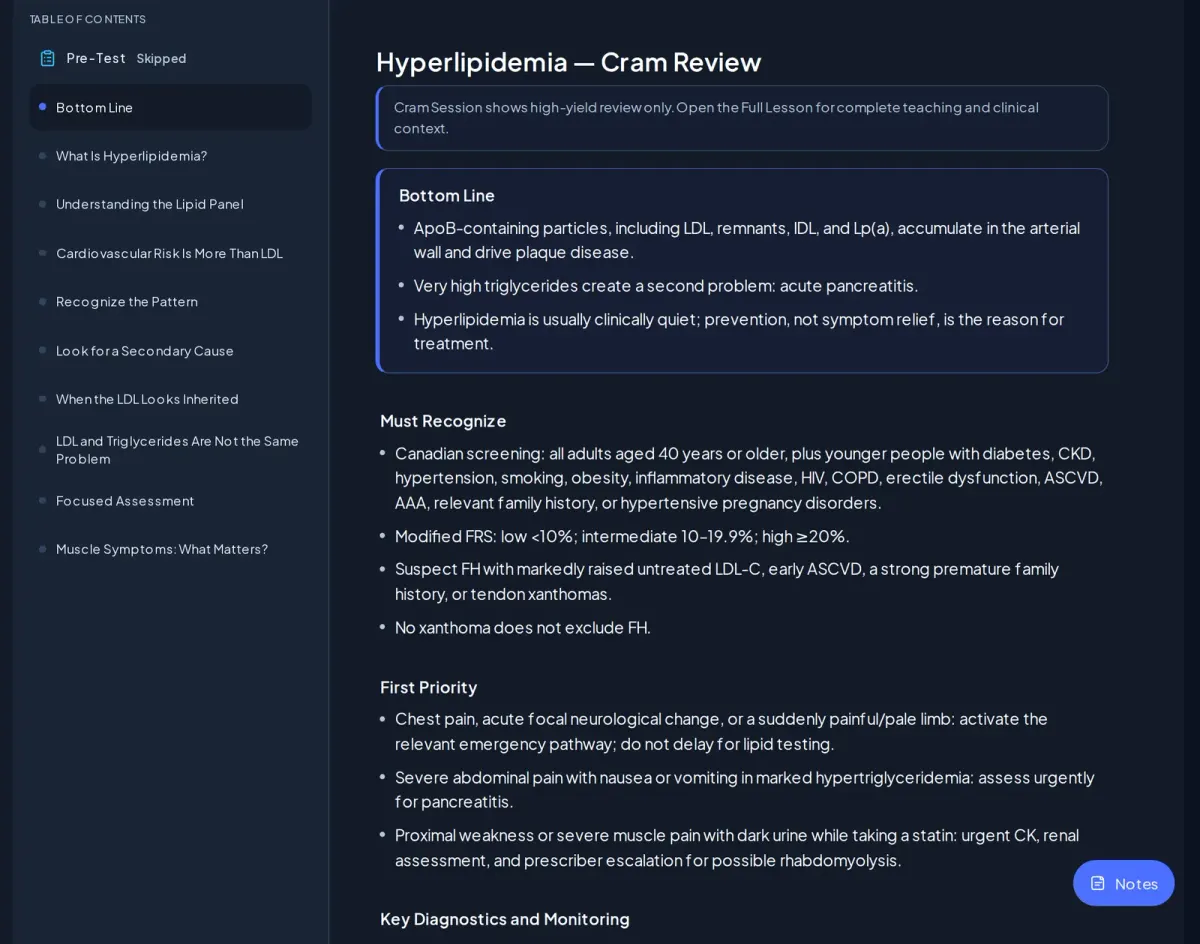
Cram is a condensed view of the same lesson — the Bottom line and Must Recognize points — reached from the Full/Cram switch at the top of the lesson. It is never a separate lesson, and safety content is not cut to save words. Lessons without a certified Cram release stay on Full.
See it on the Features page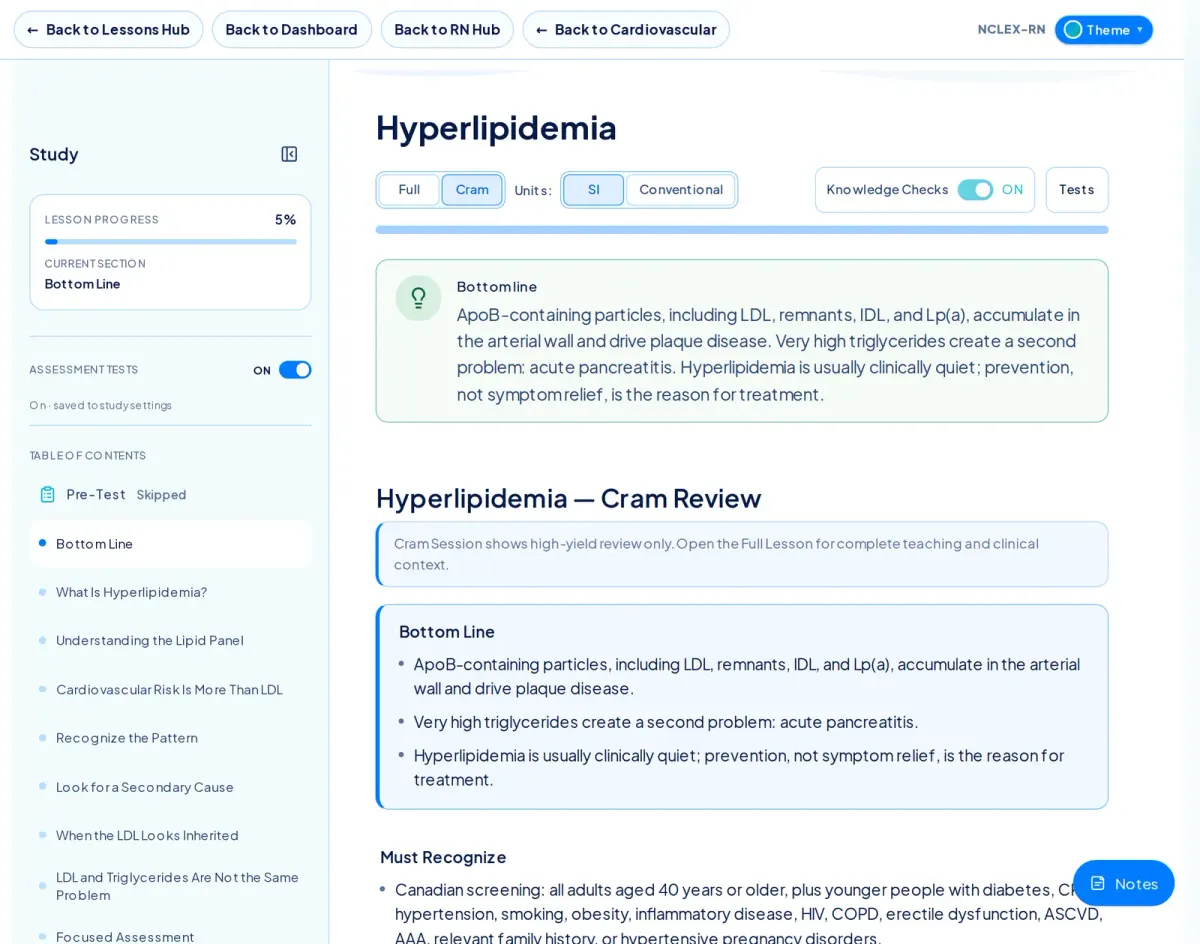
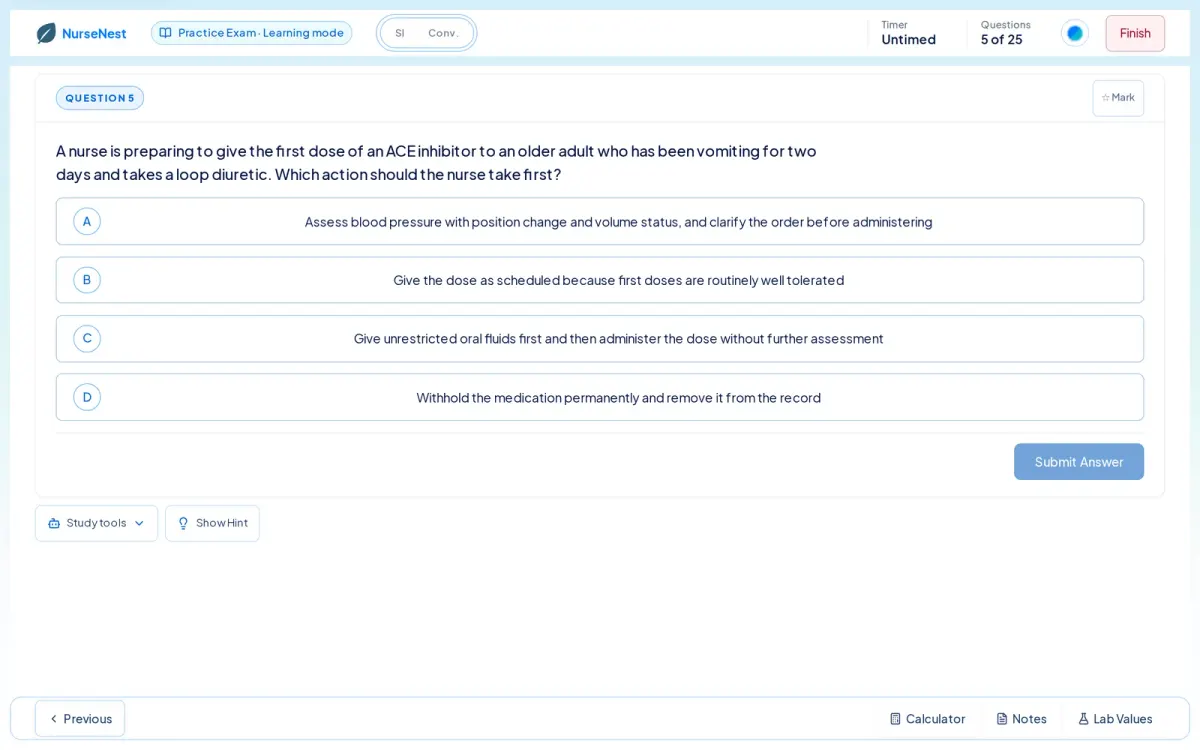
Choose body systems, question type, timing and length, then answer. After each question you see your answer, the correct answer, the core explanation, why the correct option is right and why each other option is wrong. Calculator, notes and lab values are available inside the session.
See it on the Features page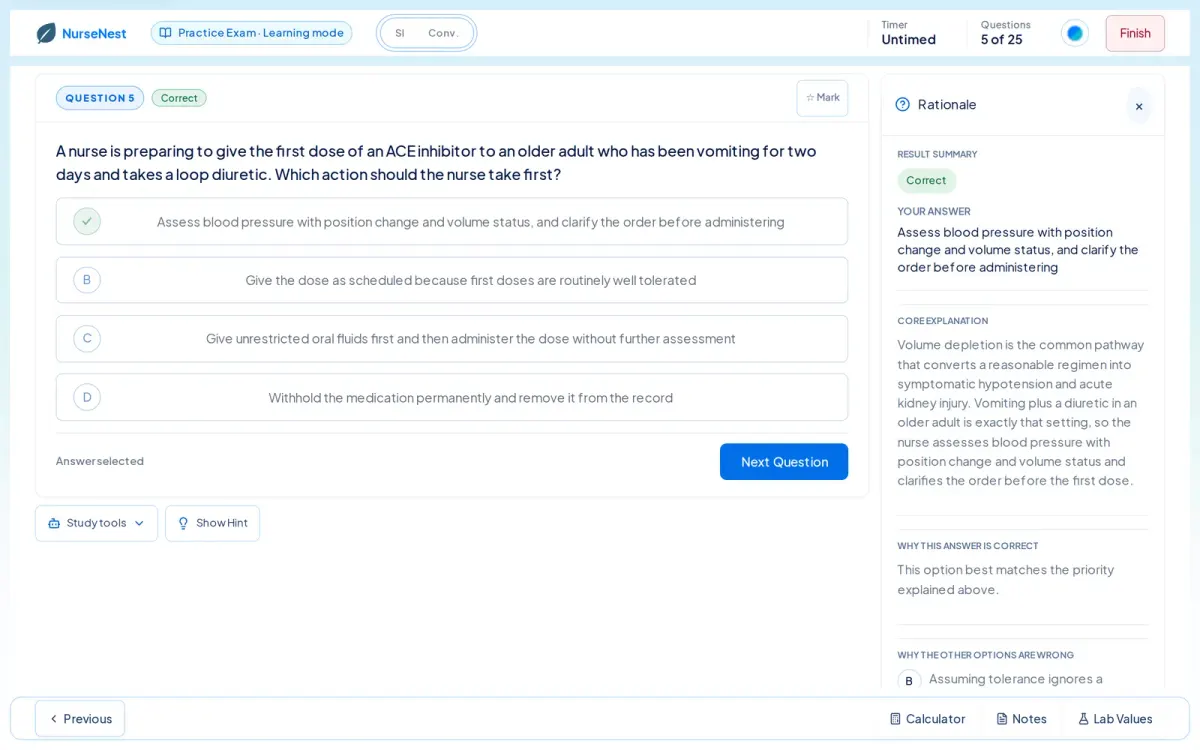
Yes for adaptive pathways. On NCLEX-RN the CAT runs 145 questions with a 300-minute limit, re-estimates difficulty after every answer, includes NGN item types such as matrix items, and can be left and resumed.
See it on the Features page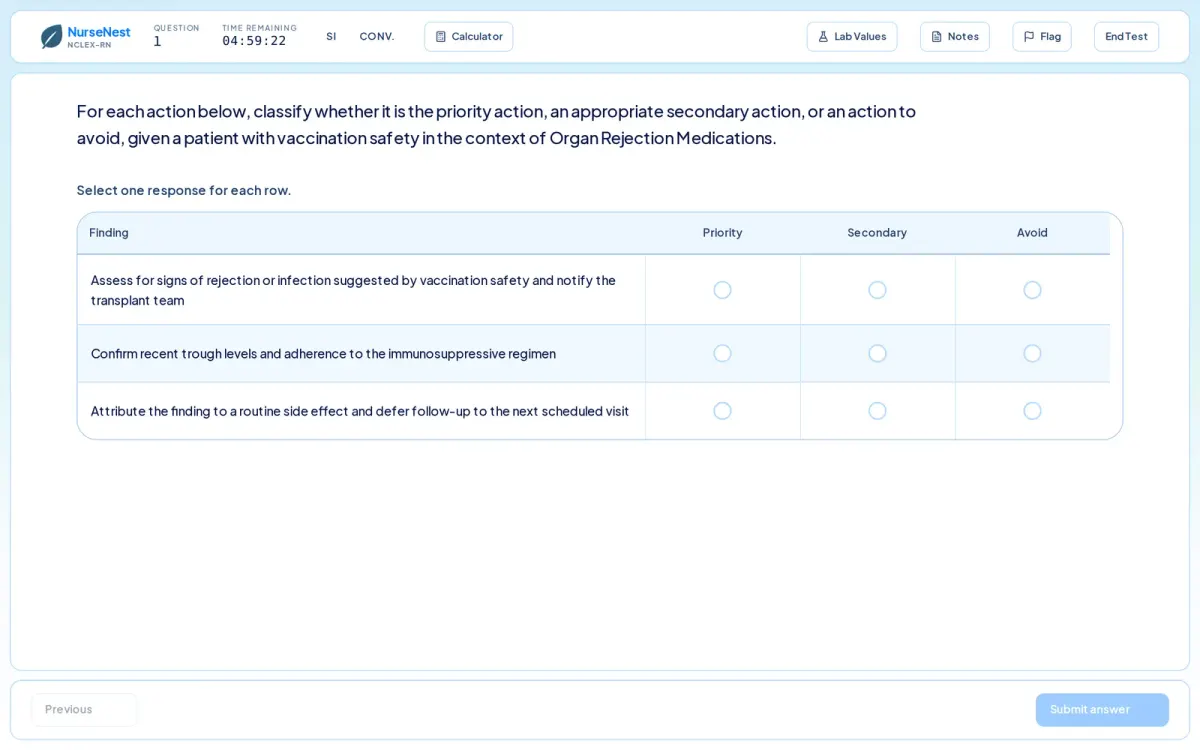
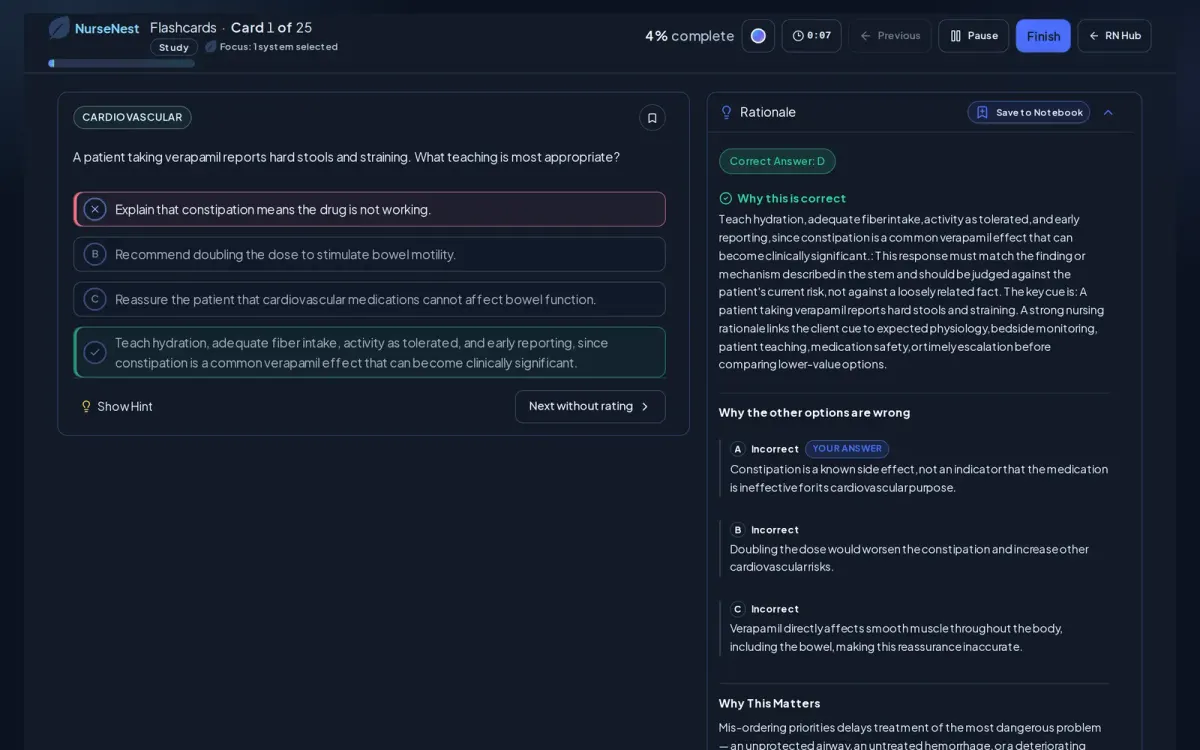
Flashcards are asked as questions. You answer, read the rationale, then grade the card Again / Hard / Good / Easy and rate your confidence. Sessions resume where you left off. My Cards lets you write your own decks and quick-flip through them.
See it on the Features page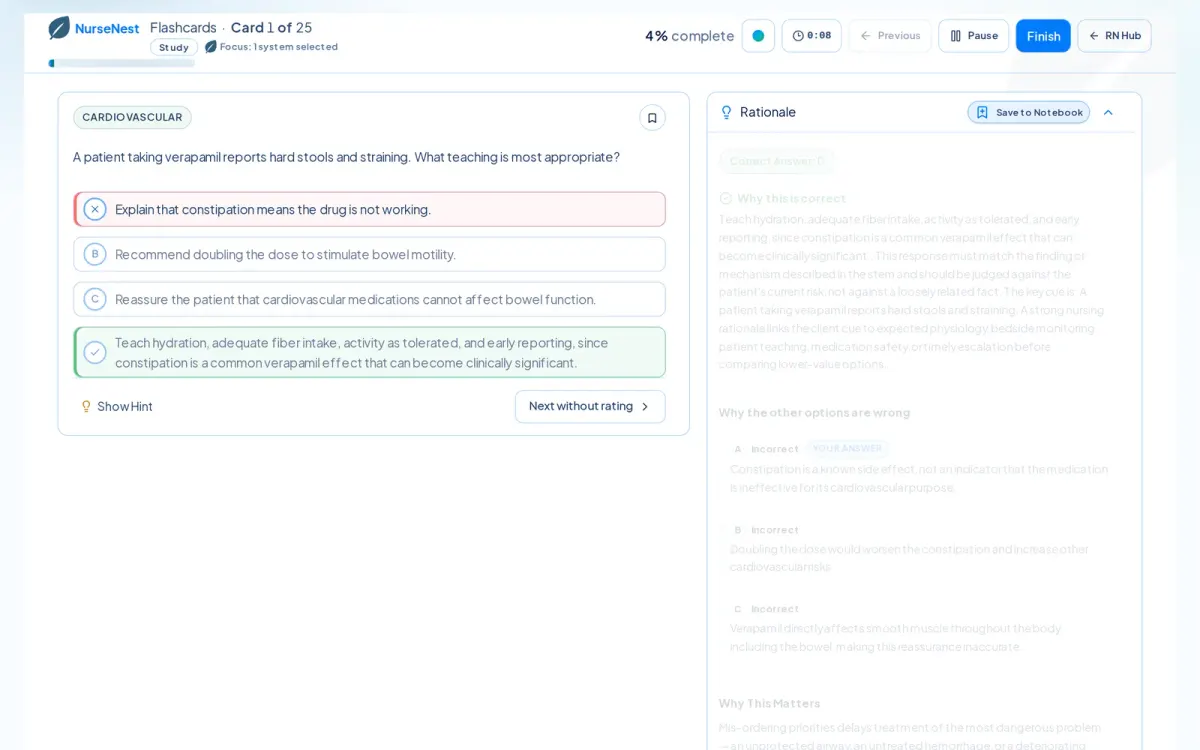
The dashboard shows what to continue, a recommended next activity and your weak systems. Exam readiness analytics show a readiness gauge, practice score, questions completed and study time against your target exam date, with streaks and achievements on the study tools page.
See it on the Features page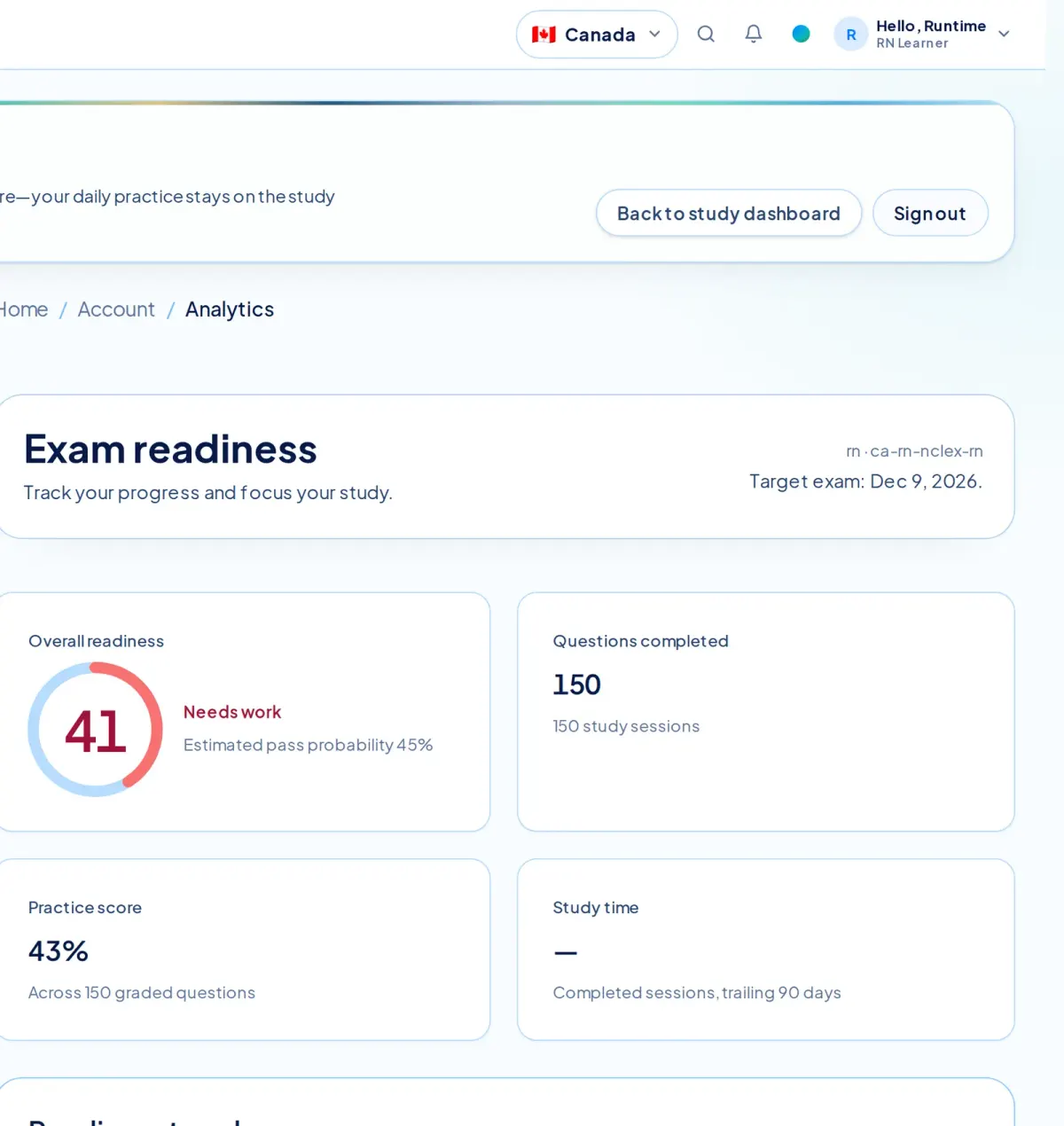
Yes. Lessons, Cram Sessions, practice questions, flashcards and the dashboard all render at phone width in your browser. There is no separate app to install.
See it on the Features page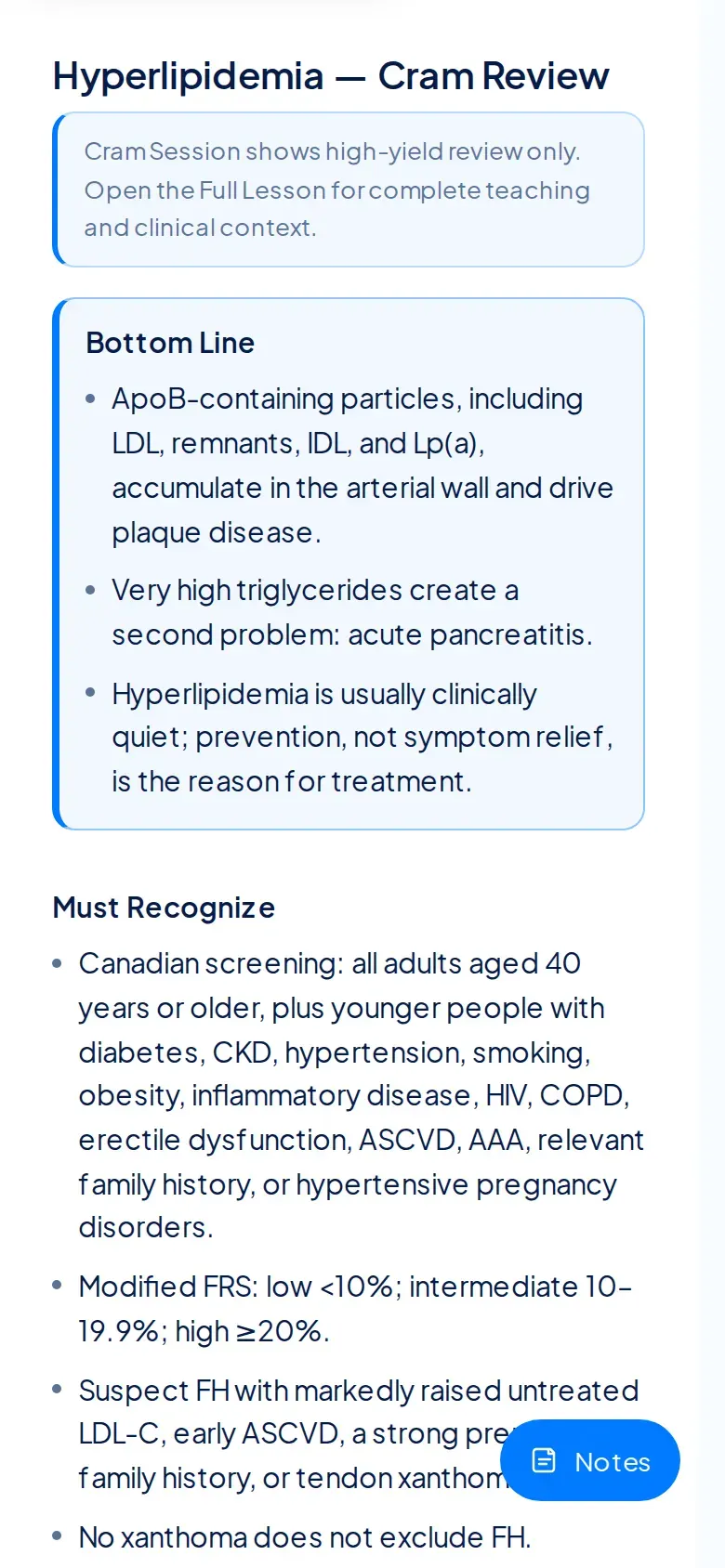
The learner shell is scoped to a country and pathway — for example Canada · NCLEX-RN — and every lesson count, question pool and session follows that choice. The screens on this site were captured on the Canadian NCLEX-RN pathway.
See it on the Features page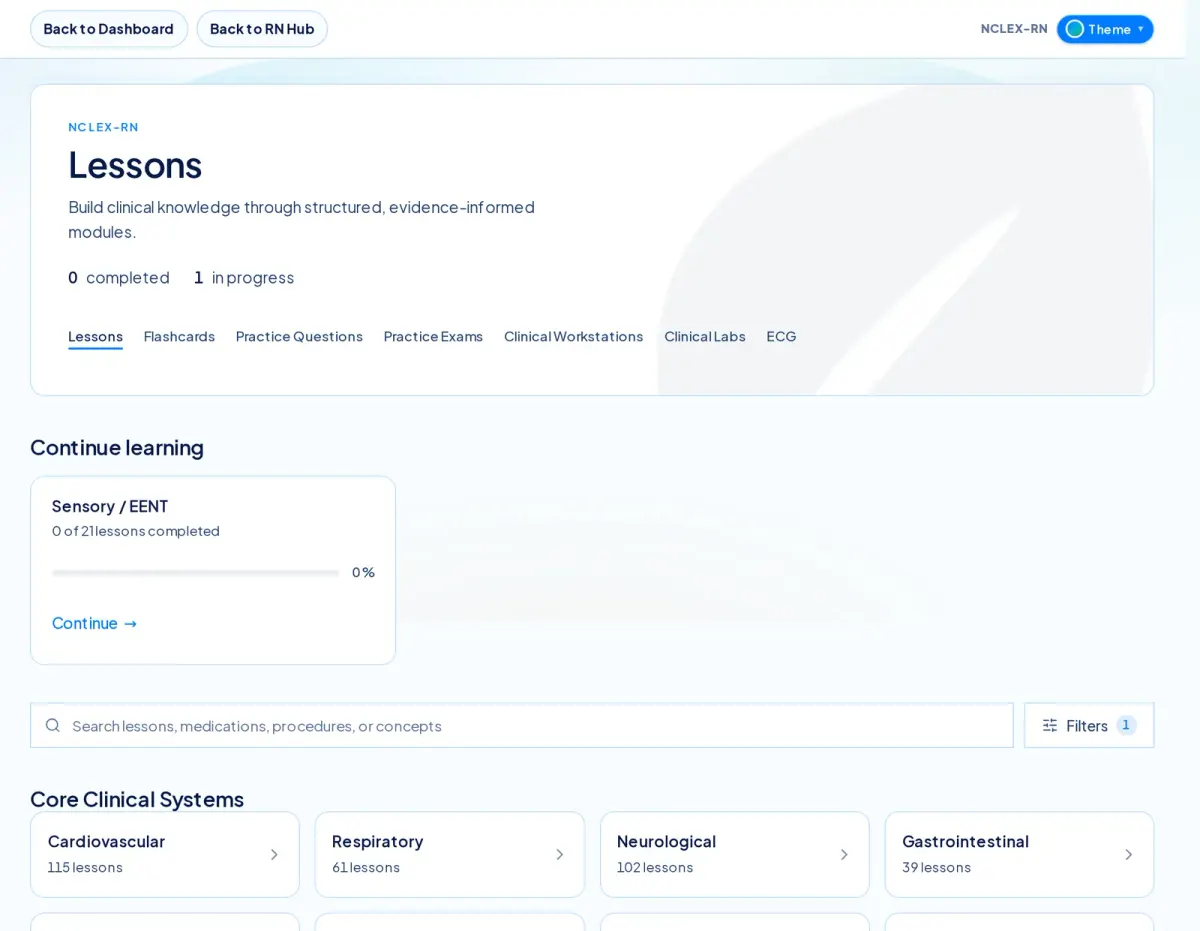
Lessons, labs and questions switch between SI and Conventional units. The interface is English, with partial French, Spanish, Portuguese and Hindi translations available from the session language menu — they are labelled partial in the product.
Screens are unedited captures of the NurseNest learner application, taken on 2026-09-20 on the Canadian NCLEX-RN pathway. Counts shown are what that pathway displayed that day.
The Features page shows lessons, practice, rationales, flashcards, clinical tools, progress tracking and exam-specific features, with real learner-app screens.
Fast answers for subscriptions, premium access, readiness analytics, and exam-prep support. Everything stays theme-aware across Ocean, Blossom, and Midnight.
Who NurseNest is for, supported exams, trials, and study plans.
NurseNest is for healthcare learners who want more than static study content: pre-nursing students, PN/RPN learners, RN candidates, nurse practitioner learners, new graduates, and supported allied health learners. The platform is built around personalized study, readiness assessment, clinical judgment, and career-long learning.
NurseNest supports nursing and healthcare pathways including NCLEX-RN, NCLEX-PN, REx-PN, CNPLE, selected NP preparation pathways, new graduate transition support, and expanding allied health pathways. Availability varies by country, profession, and published content scope.
Free previews may include limited lessons, questions, or product views depending on your account and pathway. Paid plans unlock the full pathway-scoped learning ecosystem, persistent progress, readiness tools, practice, flashcards, and analytics.
Many learners use NurseNest alongside school materials, official candidate bulletins, textbooks, class notes, clinical references, and instructor guidance. NurseNest is designed to support preparation, not replace every required resource.
Pathway changes depend on your account, plan, billing status, country, and the pathways available at the time. Contact support if your study goal changed and you need help choosing the right pathway.
Where supported, learners can move from RN-oriented study into NP-oriented study as their education and career goals change. NP access, pricing, content depth, and eligibility may differ from RN plans.
Testimonials and learner stories are handled under our [Testimonial Policy](/testimonial-policy). Individual results vary and testimonials do not guarantee another learner will achieve the same outcome.
We collect information needed to provide the service, such as account, billing, usage, and support information, as described in our Privacy Policy.
NurseNest uses administrative access controls, audit records, payment-provider safeguards, security monitoring, and operational controls to protect account, billing, support, and usage data. No online service can promise absolute security, but we limit access and retain records for legitimate operational, legal, and dispute-response needs.
No. NurseNest is independent unless expressly stated otherwise. Exam, regulator, school, and certification names are used for descriptive educational purposes under our [Exam Independence Disclaimer](/exam-independence-disclaimer).
We may send marketing messages where permitted and, where required, where we have the necessary consent. You can unsubscribe from marketing emails at any time.
No. NurseNest is a study tool, not a guarantee of any result.
Personalization, weakness detection, readiness, and recommendations.
NurseNest is designed as an adaptive clinical learning ecosystem rather than only a question bank. It connects pathway-scoped lessons, flashcards, practice, CAT-style study, readiness analytics, remediation, and clinical reasoning support. Product comparisons can change over time, so learners should review current features, pricing, and official product details before choosing a resource.
NurseNest focuses on connected study loops: learn, practice, review rationales, remediate weak areas, track readiness, and continue into clinical confidence. Other platforms may emphasize different formats, prices, or exam-prep workflows. Learners should compare current product details and choose what fits their study needs.
Adaptive learning uses your activity and performance signals to help route you toward the next useful study action. Instead of random practice, NurseNest connects weak areas to lessons, rationales, flashcards, remediation, and readiness review.
Weaknesses can be identified from missed questions, confidence patterns, topic trends, competency bands, readiness activity, and repeated performance gaps. The goal is to surface high-risk knowledge gaps before they affect exam performance or clinical confidence.
Readiness indicators summarize performance trends, topic strength, clinical judgment signals, and activity over time. They are educational estimates that help you decide where to focus next; they are not a guarantee of exam outcome.
Study recommendations are generated from your pathway, recent results, weak topics, readiness signals, and available learning resources. NurseNest points you toward the next practical action: review a lesson, drill flashcards, complete targeted questions, or reassess readiness.
Lessons, questions, flashcards, cases, rationales, and clinical pearls.
Healthcare learners need more than isolated memorization. NurseNest includes broad pathway coverage so learners can review foundations, revisit weak areas, connect concepts across systems, and prepare for clinical judgment questions that require context.
Content is reviewed and updated through editorial and quality workflows. Update timing varies by pathway, learner impact, exam blueprint changes, reported issues, and clinical relevance.
NurseNest aims to provide accurate, pathway-scoped educational content, but no educational platform can guarantee every item is complete or current for every jurisdiction. Learners should use critical judgment, follow official guidance, and report suspected errors for review.
Question volume changes as the platform grows and varies by pathway. NurseNest includes large pathway-scoped question banks and practice experiences, and the current question count for your pathway is shown inside the product.
Flashcard volume varies by pathway and grows over time. Paid learners receive access to pathway-scoped flashcards where available, including recall support tied to lessons, rationales, weak areas, and review needs.
Lesson inventory varies by country, profession, exam, and pathway. NurseNest includes extensive lesson coverage across nursing and expanding healthcare areas, with full premium depth available to eligible subscribers.
Many lessons include clinical framing, key teaching points, images or visual supports where available, and clinical pearls designed to connect exam knowledge to patient-care reasoning.
Yes. Scored practice items include rationales that explain why the best answer is safest and why distractors are less appropriate. The goal is transferable clinical judgment, not memorizing letter patterns.
NurseNest includes case-based learning and clinical judgment formats where supported by the pathway and content pack. Case availability varies by plan, profession, and published scope.
No, unless you have written permission from NurseNest.
No. The platform is educational only and is not a substitute for clinical judgment or professional guidance.
Clinical judgment, prioritization, delegation, and transition to practice.
NurseNest emphasizes recognizing cues, prioritizing risks, choosing safe actions, and understanding why decisions matter. Practice and rationales are designed to train how nurses and healthcare professionals think through patient situations.
Prioritization is reinforced through questions, rationales, clinical examples, readiness signals, and remediation pathways. Learners practice deciding what matters first, what can wait, and what requires escalation.
Delegation support appears in applicable nursing pathways through scope-aware examples, practice items, rationales, and clinical safety framing. Country and profession scope are kept separate so learners do not mix expectations.
New graduate support focuses on transition to practice: clinical confidence, prioritization, communication, time management, safety, specialty readiness, and the shift from passing exams to functioning on the unit.
SI, conventional units, dual-unit learning, and global lab interpretation.
Most platforms provide content. NurseNest provides guidance. It connects lessons, flashcards, question banks, practice tests, CAT-style practice, readiness assessment, analytics, remediation, and clinical readiness into one adaptive healthcare learning ecosystem for adaptive nursing learning.
Yes. NurseNest supports SI metric units in supported clinical values and learning contexts where unit-aware content is implemented.
Yes. NurseNest supports conventional units in supported learning contexts, especially for learners preparing or practicing in healthcare systems that use those values.
Yes. Where supported, NurseNest helps learners view clinical values in SI and conventional formats so they can recognize the same clinical situation across measurement systems.
Healthcare learners often study across countries, programs, textbooks, and clinical systems that use different measurement conventions. Dual-unit learning helps build flexible clinical reasoning instead of memorizing values in only one format.
Measurement systems vary by country, clinical setting, textbook, and specialty. Many global healthcare environments use SI units, while conventional units remain common in parts of the United States and some clinical references. NurseNest supports dual-unit learning so learners can recognize values across systems where unit-aware content is implemented.
Yes. NurseNest supports Canadian nursing preparation including Canadian RN context, REx-PN for practical nursing, and CNPLE preparation where available.
Canada, United States, CNPLE, NCLEX, REx-PN, and global expansion.
NurseNest currently centers major support around Canada and the United States, with global learning and country expansion in progress. Some public country hubs may be available before every pathway has full depth.
Yes. NurseNest supports NCLEX-RN and NCLEX-PN preparation, with region-aware pathway selection so learners can study inside the correct country and profession context.
Yes. NurseNest includes Canadian NP and CNPLE-oriented preparation where available, with advanced clinical reasoning and readiness framing appropriate to that pathway.
Yes. NurseNest is expanding global healthcare learning coverage. Country availability, pricing, content depth, and checkout eligibility may vary during expansion.
Respiratory therapy, paramedic, MLT, rehab, and planned professions.
Allied health support is expanding and may include respiratory therapy, paramedic, medical laboratory, occupational therapy, physiotherapy, personal support work, social work, psychotherapy, imaging, and related healthcare programs as content becomes available.
Respiratory therapy resources are part of the allied health expansion, including respiratory assessment, ventilator concepts, oxygenation, clinical reasoning, and certification-style preparation where available.
Paramedic resources are part of the allied health expansion, with emergency care topics, assessment, prioritization, pharmacology, and scenario-based learning where available.
The goal is to bring the same adaptive learning model to supported allied health pathways: lessons, practice, flashcards, readiness signals, remediation, progress analytics, and clinical reasoning where the content and pathway depth are available.
Billing, cancellation, renewals, upgrades, access after expiry, and refunds.
Choose your country, profession, and exam pathway. NurseNest uses your selected pathway plus study activity, practice results, confidence, and weak-area signals to guide what to study next.
Planned and expanding areas may include respiratory therapy, paramedic, medical laboratory, occupational therapy, physiotherapy, PSW, social work, psychotherapy, imaging, pharmacy technician, surgical technology, and other healthcare education pathways.
Yes. Unless clearly stated otherwise, NurseNest plans are recurring subscriptions billed in advance on the billing interval selected at checkout.
Checkout is processed through Stripe where paid subscriptions are available. Prices, billing intervals, trial availability, and checkout eligibility may vary by country, pathway, and plan.
You can cancel through your account settings if available, or by emailing [email protected]. Please allow up to 4 business days for a response. Cancellation stops future renewals.
Yes, unless you cancel before the next renewal date.
Usually yes, until the end of your current paid billing term.
Yes. Where checkout is available, you can choose a plan or pathway that fits your current study needs and later move into other supported learning areas as your career changes.
Plan changes depend on the checkout configuration, billing status, country, and pathway availability. Where supported, learners can move into a plan that better matches their current exam or professional goal.
Except where required by law or expressly stated otherwise, subscription charges are generally non-refundable and partial billing periods are not prorated.
Generally no, though we may choose to review exceptional cases at our discretion.
Email [email protected] first so we can review the transaction quickly. Please allow up to 4 business days for a response.
Please email [email protected] first. Many issues can be resolved faster by email than through a formal dispute process. Please allow up to 4 business days for a response.
We may keep records such as checkout acceptance, billing status, receipts, access logs, session history, and product usage to operate the service, prevent abuse, and respond to disputes.
Mobile, app plans, devices, synchronization, security, and content protection.
When a paid subscription expires, premium access may end or become limited. Your account may still retain saved profile and progress information according to platform policy and data-retention rules.
NurseNest does not guarantee exam outcomes. If you do not pass an exam, you can use your results, weak-area trends, readiness signals, and support resources to rebuild a focused remediation plan.
Yes. NurseNest is designed for browser-based study across modern devices, including mobile screens. Some advanced interactions may be easier on larger screens.
NurseNest is currently web-based. Future app experiences may be introduced, but the browser experience remains the primary supported access path.
Reasonable personal use across your own devices is generally fine, but suspicious or simultaneous usage patterns may trigger security review.
NurseNest is primarily a web-based learning platform. Offline study is not the default supported experience, and premium access, progress tracking, readiness signals, and subscription validation generally require an active connection.
Progress is tied to your account and is designed to synchronize across supported study surfaces when you are signed in and the service is available.
This can happen for account security, entitlement validation, payment issues, or unusual usage patterns.
To protect copyrighted premium materials and maintain fair access for paying users, some content may be subject to copy, print, watermarking, or access restrictions.
Personal incidental viewing is one thing, but capturing or redistributing premium content for sharing, resale, reposting, or republication is not allowed.
Graduate Appreciation is voluntary and governed by our [Graduate Appreciation Program Policy](/graduate-appreciation-policy). Learners do not need to share a public story, score, photo, or testimonial to use NurseNest.
School licensing, faculty visibility, cohort learning, and organization support.
Yes. NurseNest can support institutional conversations for schools, programs, and healthcare organizations that need learner pathways, cohort support, clinical readiness language, and scalable access.
Institutional reporting and faculty visibility depend on the contracted implementation and privacy requirements. NurseNest can discuss cohort-oriented analytics and reporting options with organizations.
NurseNest is designed around pathways, readiness, remediation, and progress signals that can support cohort learning models where institutional licensing and implementation are available.
Organization reporting and analytics depend on the institutional agreement, implementation scope, and privacy requirements. Potential reporting may include cohort readiness, progress trends, content engagement, and remediation signals.